You are currently browsing the category archive for the ‘Uncategorized’ category.
When I have a bug of the sort “nothing is working” or “the peripheral is acting like the processor isn’t talking to it”, the digital multimeter (DMM or DVM) is the tool I start with. It sits on my desk, all the time, even after a clutter purged. It is easy to use but a very yes/no, working/not working sort of tool. It is kind of binary, like a hammer. It is either hitting the nail or not.
If something is not working, the next tool is an oscilloscope. Like a microscope for electrons, an oscilloscope will let me see what is going on. However, to get an oscope, I need to call an EE friend and ask if I couldn’t please borrow his scope (he always says yes). Then I head over to his house after he gets home from work (I think his wife is afraid of the garage) and pick up the scope. I usually get it for a week or two, depending on whether he’s got a weekend project planned. (This is Phil of Weekend Engineering so he often has weekend projects planned.)
Where I’m going here… using an oscope requires planning. It requires me to admit my bug can’t be solved by just trying something else, that typing another line of code or doing a recompile isn’t enough. An embarrassing amount of my time is tweaking my code to do one thing just a little different. Admitting I can’t do that until it magically works, well, it takes a little while.
Even when I have 24/7 access to a scope, using it still means figuring out where to attach the probes to the board and configuring the scope. Admitting I have a problem, a real problem and not just a typo, is oddly difficult. I should just be able to figure it out.*
*This is a myth. A complete and total myth.
When I worked at HP, there were plenty of scopes around. But they all weighed 40-60 lbs (and dropping it would have been *bad* because they were hideously expensive (like 1/2 year salary expensive)). So in addition to admitting to myself I needed help, I had to find a big strong man to carry the thing for me. Who would inevitably offer to help me connect it to my board and then take credit for the solution. (Why didn’t we just put the darn thing on wheels? As I look back, I’m a little frustrated by that idiocy.)
There was another tool I used a few times there, one that I think was on wheels: the logic analyzer. It hooked up to dozens of digital signals and would help me figure out what was going on all over the system. But it was a very difficult tool to use (its manual was about four times longer than the oscilloscope manual and it cost a whole year’s salary). So to use the logic analyzer, I had to admit the problem was big enough to stop my normal work for three days, get someone to help me transport it, get another someone to modify my board so the signals were available, set up the analyzer, and then, within a few hours of getting the information, solve my bug.
Once I admitted the scale of the problem warranted a tool of that magnitude, and put in the diligent effort of setting up the tool, the solution was always obvious.
Now logic analyzers are tiny widgets that plug into USB ports and take all of ten minutes to set up. (I did it (almost) live unboxing of the Saleae Logic on my new podcast.)
But I still have to admit I need it. I wonder if I’m going about this wrong. In the past, I’ve always waited for a problem to happen. Then I’ve waited until I determined I couldn’t solve it the easy way (poke, poke, poke). Then I grudgingly admit it won’t fall to trivial debugging. Then I pull out whatever tool will help, grudgingly (still) hook it up and configure it. Then (usually), the problem falls fairly quickly.
First, the grudgingly parts… the fact that I can’t type my way out of a problem doesn’t make me stupid. I know that and yet… this is what programming is to many people.
Once I got my itty-bitty, super cheap new analyzer set up, I left it in place. And now I’ve moved on to other issues, just adding more signals. It is really handy. I can look at things whenever I want… before I start tippy typing randomly and pressing the recompile clean button for no reason.
But some tools take time and they don’t look like forward progress. It is hard to know when to throw in the towel on being a monkey typing randomly (and when to stop hoping Google, Stack Overflow, and caffeine can solve your problem). On the other hand, reading the manual or getting the right tool or taking a class… well, sometimes it is necessary to take a step to the side to get on to the fast track to the solution.
There is a lot of talk (and rumors) about watches. I keep thinking “we don’t need no stinking watches”.
I like not wearing a watch. Having something on my wrist decreases ease of melding with my computer. I like the flow-state where it is just me and the bits, working together to make each other work.
Thus, if I was to give up my previous wrist space, it would have to be for a good reason. It would not be a pedometer ( lives in my pocket), a GPS (lives on my phone), or a sports anything (lives nowhere on my person).
I’d consider a health monitor but I don’t think the technology is there. I’d want it to monitor core body temperature, heart rate, glucose levels, and blood pressure. Basically, it would be a wrist mounter tricorder. None of those are easy to do on the wrist (also, noninvasive was implied) so this seems like a pipe dream.
But I’m not completely unreasonable. I’d settle for an auxiliary screen for my phone. It would have to be light, more like one of those rubber cause wrist bands (i.e. livestrong) than a proper watch.
I’ve heard rumors of Apple and a slap band style. I could get into that. Say it is two inches wide and eight inches long. When flat, it could show me movies via, I dunno, Bluetooth (or BTLE). My headphones would plug into my phone so the wristband doesn’t need a jack. Though it could have one which would let me watch movies with someone, that’d be neat.
Given my goal “watch” is now about 2″ wide and 8″ long, the screen could be about 2″ x 4.5″ which would show movies in widescreen (16/9).
I could see using the wristlet in flat form as a display, using my phone’s screen for a larger keyboard. But I don’t have any problem with typing and seeing on my phone (most of this blog post was written on my phone).
When the wristlet is in coiled mode, it should show time and some chosen info from my phone: texts, emails from VIPs, tweets, etc. I’d like to be able to press something and say show me more and dismiss (also pause, forward, and back for movies). I don’t know if that means I need a touchscreen or just a few buttons on the end. With feature creep, I could see a stopwatch but I don’t really need a features I’ve got elsewhere.
I understand a lot of people are trying to make a wrist based phone and I can understand that. But even if they succeed, I don’t want that. How about instead of another me-too product, we get something really spiffy?
If you want my wrist, be innovative.
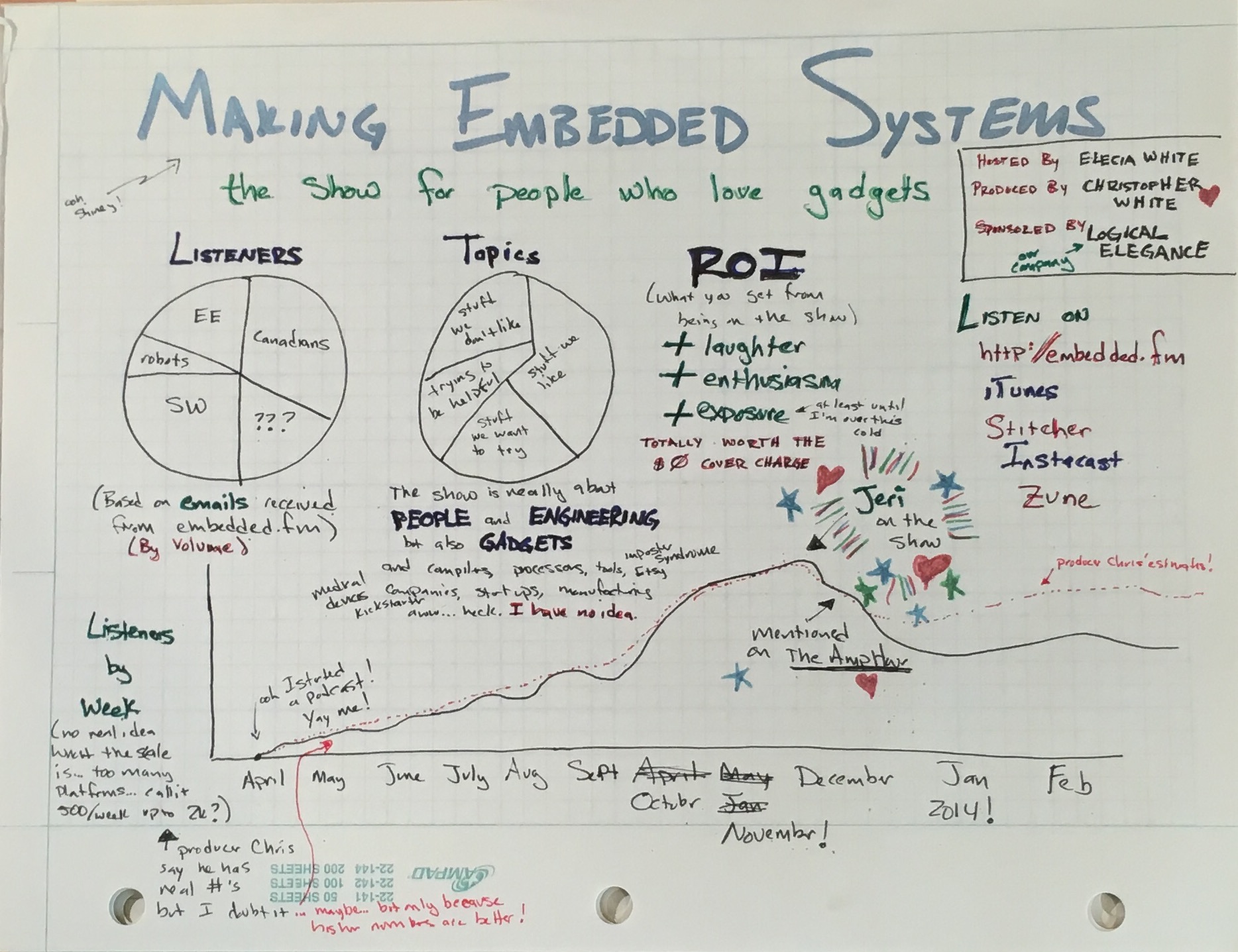
At the embedded systems conference, Star Simpson, Jen Costillo, and I did a talk called Start Tinkering. The goal was to get people interested in doing hobby projects: why we do it and how to get into it. We did a radio show, I announced at the inaugural podcast.
But if it is the inaugural, that indicates there would be more podcasts. So what would we do podcasts about?
This one was very high level, an introduction to getting involved. I think I'd want to do a deeper dive into technical things, but still with a hobbyist bent.
I'd like to have a podcast that was just Jen and me, getting a box from Amazon that contains an Arduino and maybe one other board (accelerometer? ThingM LED?). We'd chat and open the box and download the software to make Arduino work. We'd do the normal Hello World to make the LED on the board work (that code is included when you install the compiler), and then change it so the LED blinks at a different rate and all the stuff we'd want to do to get started. Then we'd make the other board (accelerometer? LED?) work to show a few more things. Then, I think we'd rip the Arduino part off and treat it like an Atmel processor. Jen and I would chat over all of this, talking about what we were doing, talking about why we'd do this instead of that, mentioning AVR Freaks and other helpful communities.
I suppose we could do this with Raspberry Pi as well. Oh, MBED, XPresso and MSP430's cheapest board as well. It could be a segment “box to xyz”
And I'd like to do an interview with Jeri Ellsworth, asking her about what she's done and what's she planning. Actually, I'd like to interview all my friends first- Phil over at Weekend Engineering would have a lot of interesting things to say, especially about designing for consumer products. My husband could talk about FDA and UIs and embedded systems. Star could come on and talk about TacoCopter (she's locationally challenged so having her be a regular part might be difficult).
Maybe we could do a radio show of teaching someone to solder. Or talking about software design.
We'll need theme music, I think. And editing software. And good mics. And time. Lots of time. That may be the most difficult part.
The Expo is where you can see all the new dev kits and hear about the new chips/parts/etc. The Expo pass is free. It is worth a couple hours of strolling the exhibit hall, particularly if you want a few free dev kits or take a class from a vendor.
http://www.ubmdesign.com/sanjose/registration/
Here are the Expo hours:
Tues. April 23 11:30am – 7:00pm
Wed. April 24 11:30am – 5:30pm
Thurs. April 25 11:30am – 4:00pm
But wait, there is more!
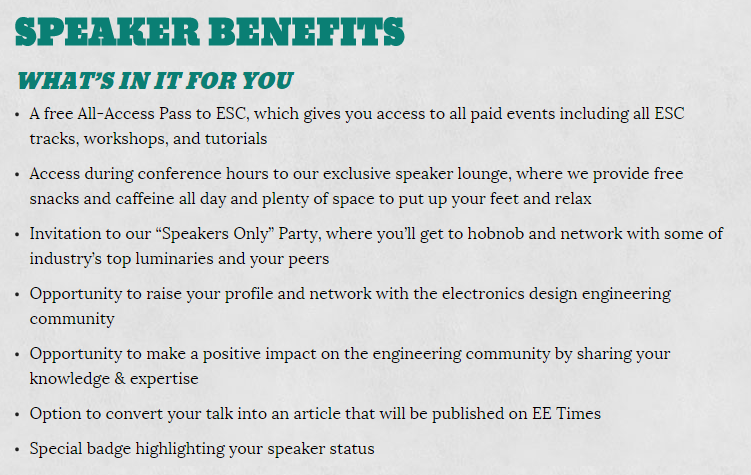
I’m excited about the Expo pass because I’m part of two sessions and chairing a track of talks… all that is free to Expo pass holders.
Tuesday’s talk is Start Tinkering, a radio show style talk with Jen Costillo and Star Simpson… we’re going to talk about the hows, whys, and wheres of working on technical projects that aren’t work projects. This one is likely to be more fun than is reasonable to have. And I suspect we’ll give away dev kits and books and advice. 9:30-10:15am Tuesday. (Oh! Time for post talk coffee before the Expo starts, let me know…)
Wednesday’s talk Sensors Saving Lives, 1pm in the Expo Theater, right on the Expo floor. This is a panel discussing 4 different sensors, how they work in systems, and how they make a difference in the world. If you’ve ever wanted to ask about the difference between FDA manufacturing and large scale consumer, here’s the place. Or there are about 200 other questions I could feed you if you want. Or, more likely, you’ll have some of your own once you hear about the incredibly nifty systems the panel will be describing. Since this is in the Expo hall, you can pop in to rest your legs and then wander off, no offense taken. But do say hello if you are around.
My track is Hello World and it is on Tuesday. Supposedly, it is about starting projects- things to know when you get started with something new. Really, it is all the sessions that I personally wanted to attend. Everybody’s got some criteria and I was just looking for neato-ness. I suspect I’ll be around the session most of the day, making sure it is running smoothly. If you are looking for me (to say hello!), I’ll be there (210 GH but maybe just look for the Hello World track location).
As if that wasn’t enough! There is talk of a book signing on the Expo floor Wed at 3pm. All your favorite embedded systems authors will be there (snicker, all four of us?). Feel free to bring your copy of my book (O’Reilly’s Making Embedded Systems) for signing. Or I may have a few to sell there. I’m torn between amusement and embarrassment. If you are around Wednesday afternoon, please come to the UBM to tell me jokes so the former wins out.
My track: http://www.ubmdesign.com/sanjose/schedule-builder/track/hello-world
Start Tinkering: http://www.ubmdesign.com/sanjose/schedule-builder/session-id/121
Sensors Saving Lives: http://www.ubmdesign.com/sanjose/schedule-builder/session-id/174
My book: http://www.amazon.com/Making-Embedded-Systems-Patterns-Software/dp/1449302149 (or use coupon AUTHD on the O’Reilly site for a pretty bit discount: http://oreilly.com/catalog/0636920017776)
Finally, last but not least, if you are looking at Android for anything, check out Jen Costillo’s talk about adding new sensors to Android (http://www.ubmdesign.com/sanjose/schedule-builder/session-id/151). Wed at 3pm.
Oh! And the keynote on Wednesday is Mayim Bialik, the neuroscientist/actress from Big Bang theory.
http://www.ubmdesign.com/sanjose/schedule-builder/session-id/193
That looks like fun. Anyone want to sit in the back and pass notes like twelve year-olds?
Sorry for the spam but I’m excited and I really do hope to see you there. I also have coupons to get a discount if you want to sign up for an expensive ESC pass… email if you want that.


Recent Comments